Truss that adds up
Global Truss F34 straights, corners, junctions and circles, with real part numbers. Pick two ends and it finds the sticks that fill the gap.
4670 mm gap → 4000 + 500 + 170

Event layout in 3D · runs in your browser
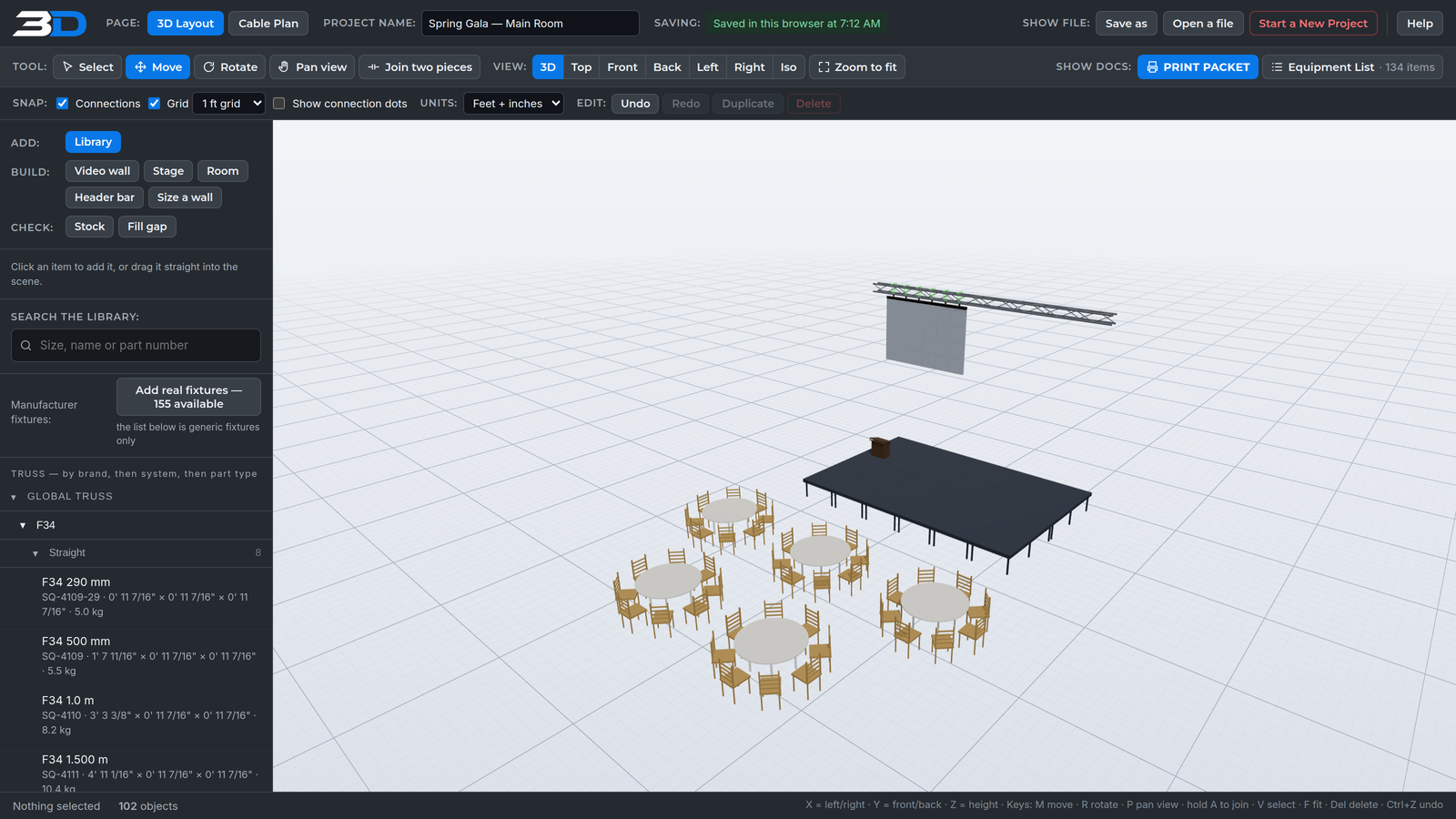
Lay out truss, video walls, stages and rigging at real size, with real part numbers. 3D Event Builder counts every pin, clip and coupler for the pull sheet while you draw.
Free during early access. Nothing to install.
The part nobody else counts
Join two sticks of F34 and you need couplers, pins and clips. The equipment list adds them from the joints in your drawing, so the pull sheet matches what goes on the truck.
| Item | Desc | Qty |
|---|---|---|
| TRUSS | ||
| SQ-4116 | F34 4.0 m | 2 |
| CP0092 | Conical coupler — added from the join | 4 |
| CP0235 | Coupler pin — 8 per stick | 16 |
| CP0157 | R-clip — 8 per stick | 16 |
What it does
Every part has its real size, weight and part number. Nothing is a grey box you have to explain later.
Global Truss F34 straights, corners, junctions and circles, with real part numbers. Pick two ends and it finds the sticks that fill the gap.
4670 mm gap → 4000 + 500 + 170
Hang a wall from header bars under the truss, or ground build it on the stage deck. Power and data runs are laid out panel by panel.
Move the whole wall as one unit
Decks and legs to a height, with skirting and stairs. Props and video walls stand on the deck, not the floor.
4×8 and 4×4 decks · 1219.2 × 2438.4 mm
The standard hang in one go: spanset, shackle, turnbuckle and header bar, at its real trim height. Slide it along the truss and the whole hang goes with it.
Stops at the end of the stick
Rodeo chutes and arena panels. Round and banquet tables with chairs ringed at the right spacing, and lounge furniture.
60" round · 8 comfortable / 10 tight
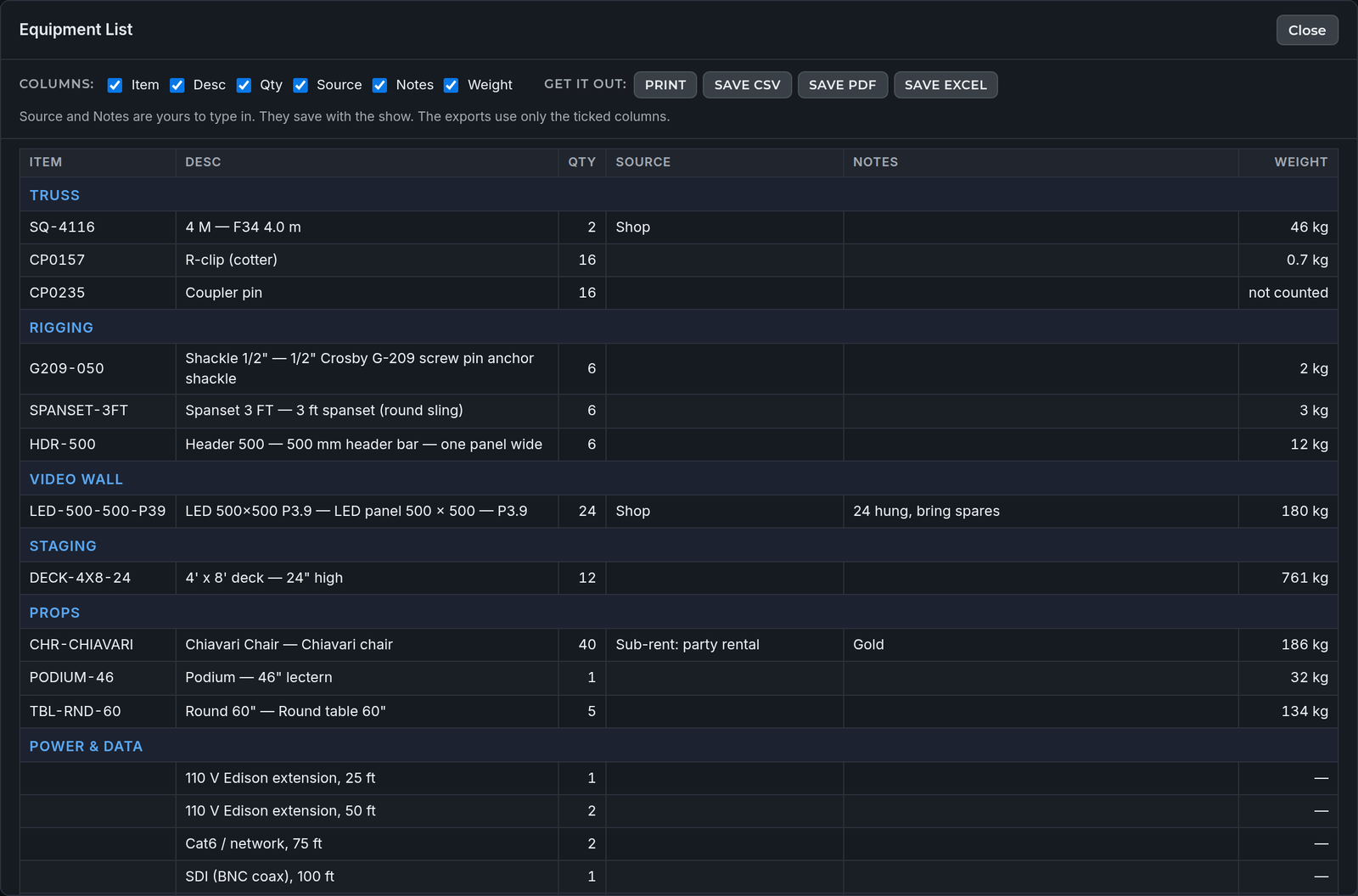
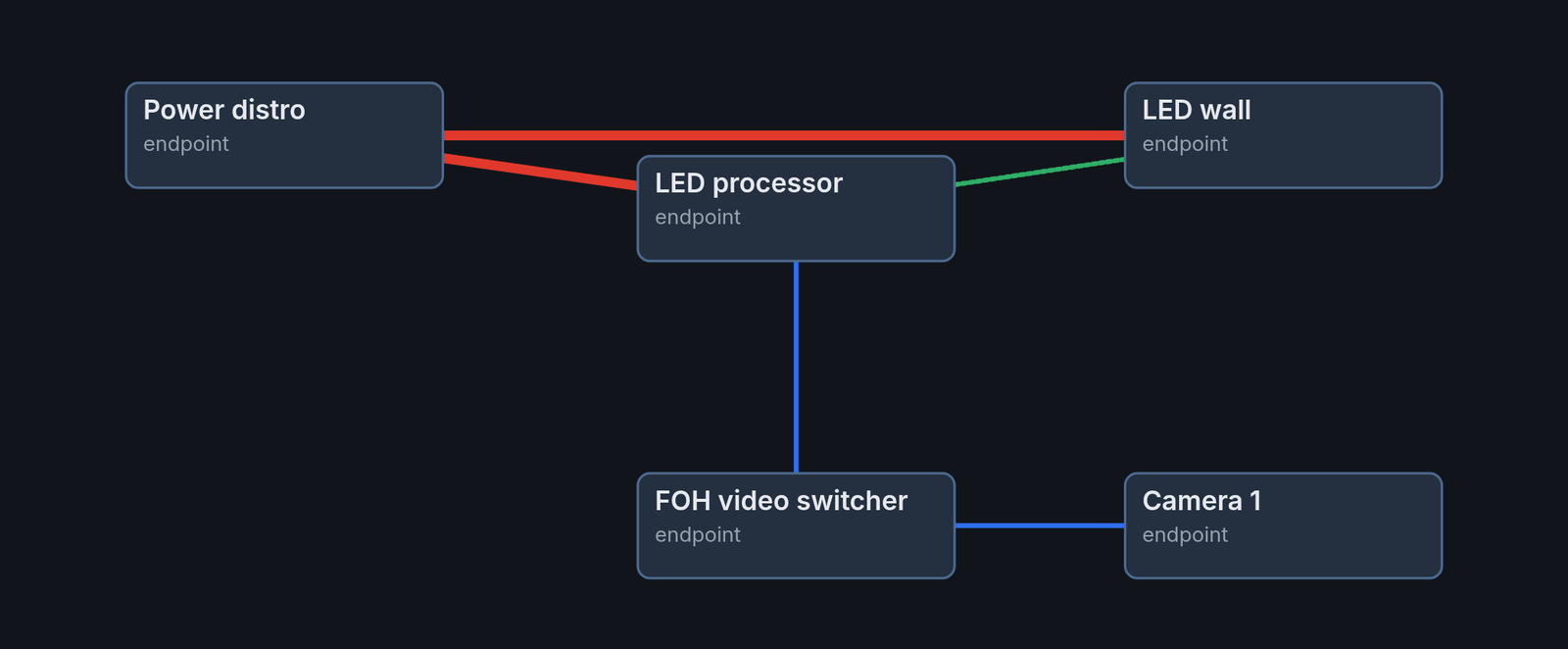
An equipment list grouped like your spreadsheet, a cable plan, and a print packet with ISO, top view and elevations for every structure.
Save as Excel, CSV or PDF
In the app
The equipment list is a table with the columns you choose, broken up by type. Type your sources and notes straight into it.
Who it's for
Early access
3D Event Builder is in early access. It is free for now. Paid plans come later, and you will hear about them before anything changes.